¶ How to Install the Repo
- Download the repo located in current-modlist in our discord
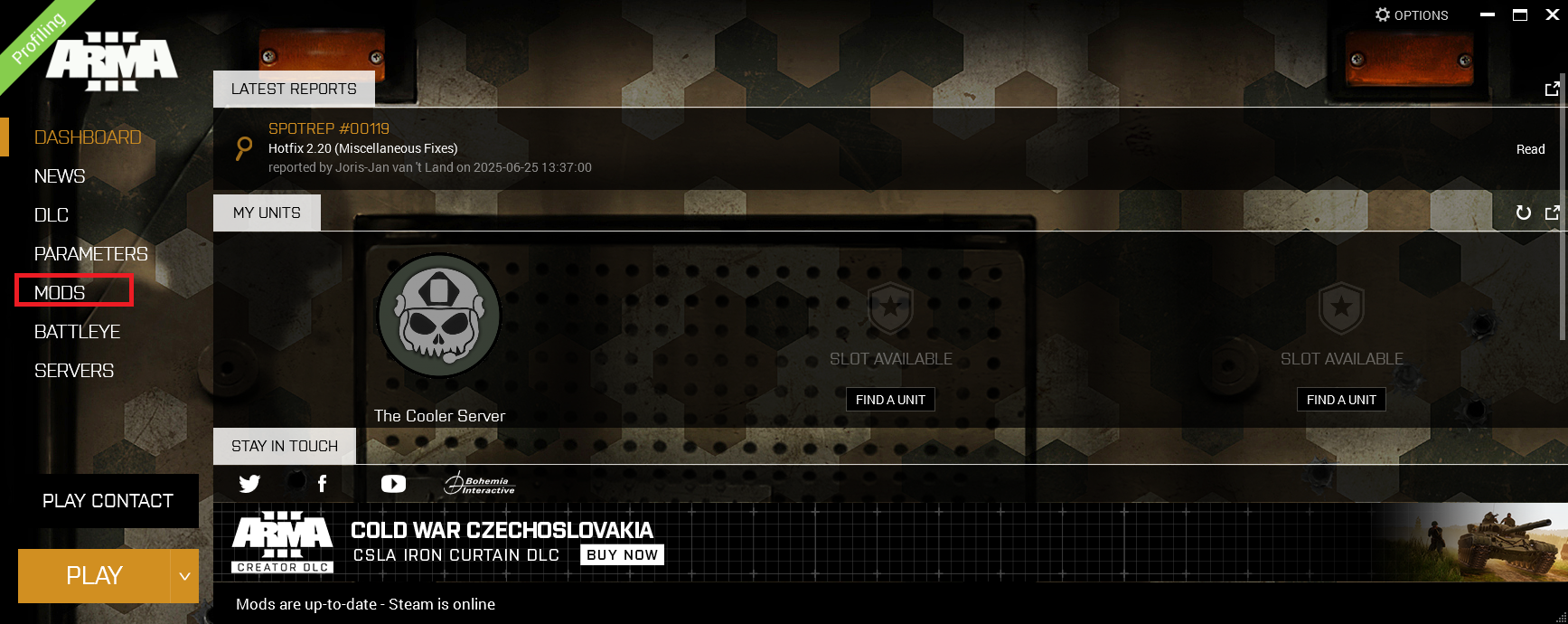
- In the ARMA 3 launcher, unload any mods you may already have installed
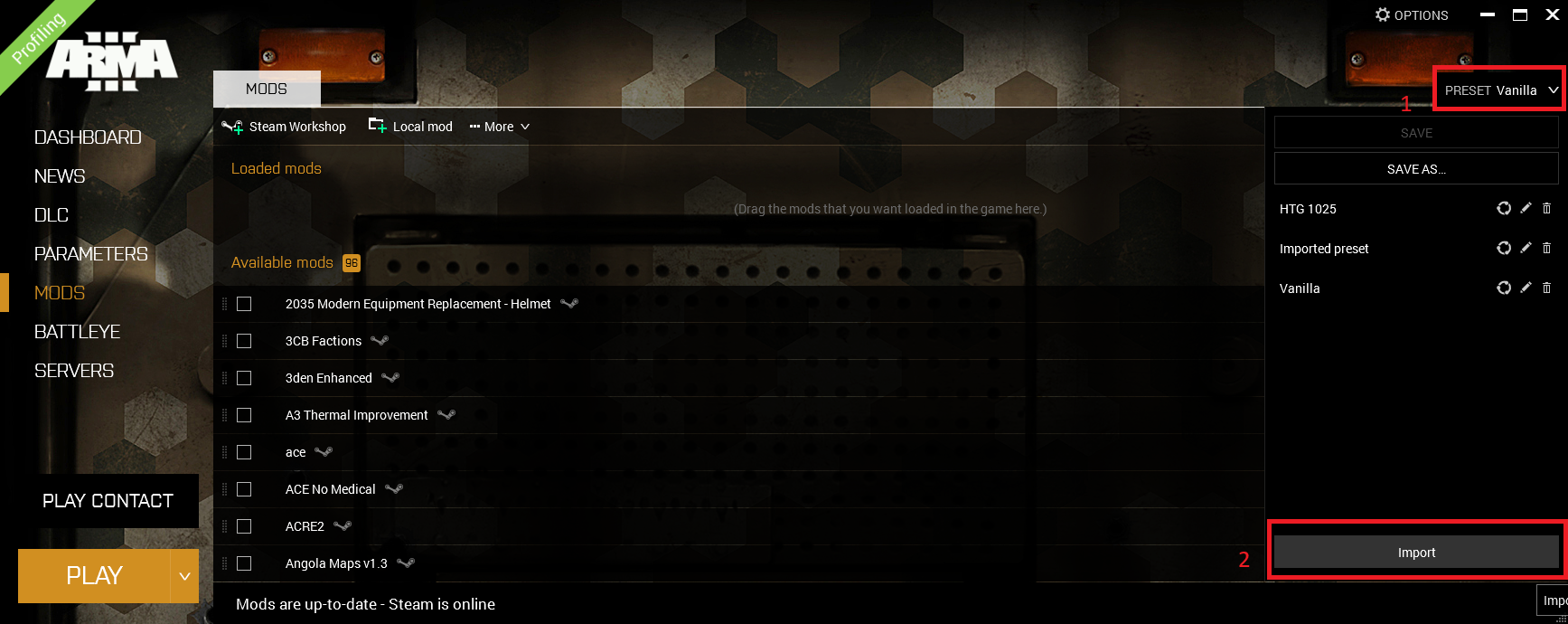
- Under the 'Presets' drop down, click on 'Import' at the bottom and select the HTML file you just downloaded
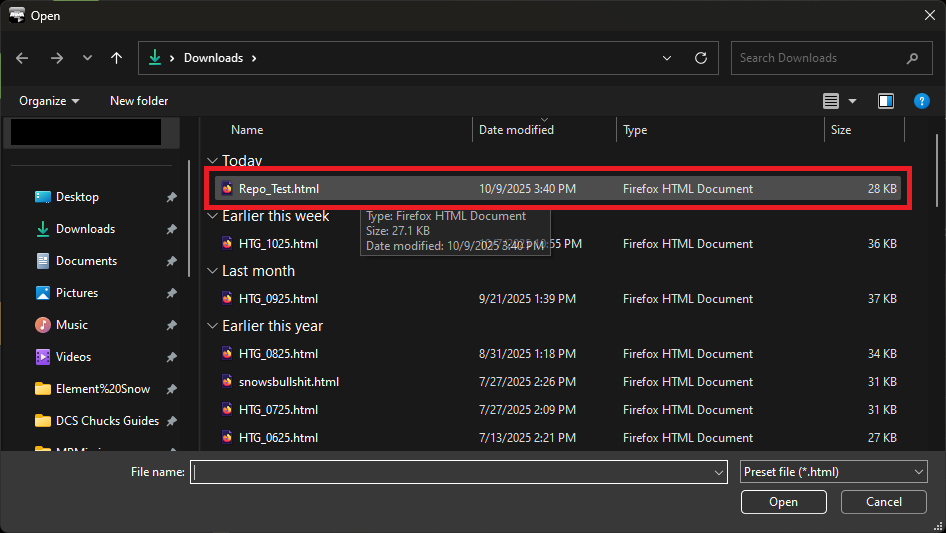
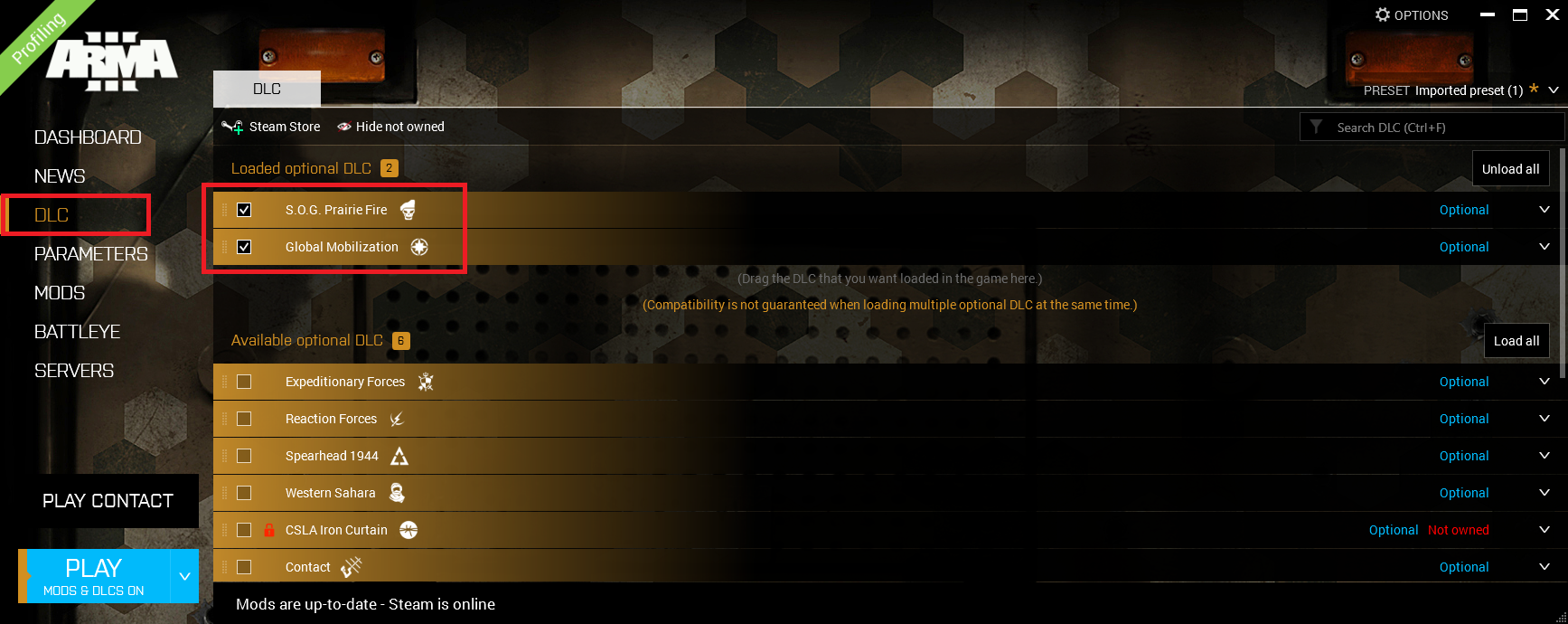
Once you select the file you wish to upload, the launcher will start downloading - Load Global Mobilization and S.O.G. Prairie Fire in the DLCs tab
- Install and load the CDLC Compatibility mods only if you need them
Only do this step if you do not own one or both of the CDLCs that are required
Gloabal Mobilization
S.O.G. Prairie Fire
6. Save your preset
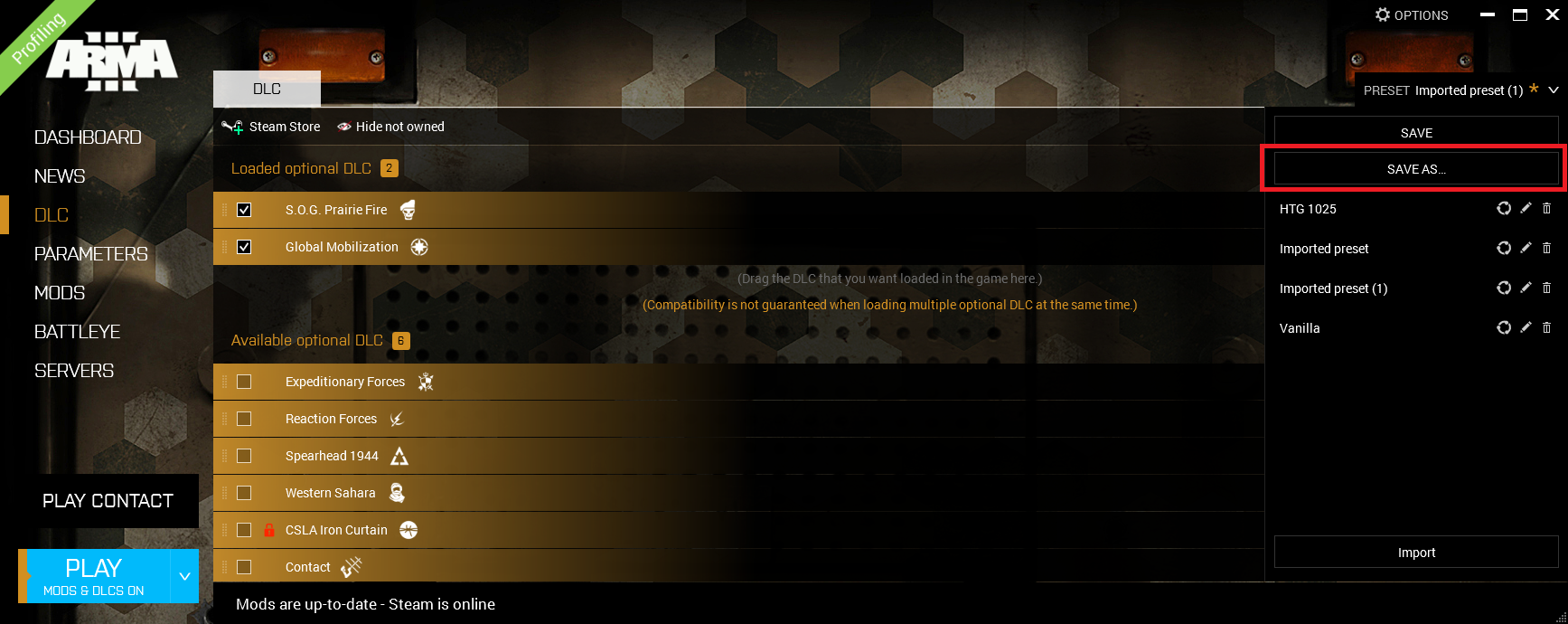
Make sure to give it a name that you will remember if you play with multiple units
Note: In step 3, importing will download the mods and load them, where as dragging the file in will just download them
DO NOT USE LAUNCHER SERVER BROWSER. USE IN GAME SERVER BROWSER